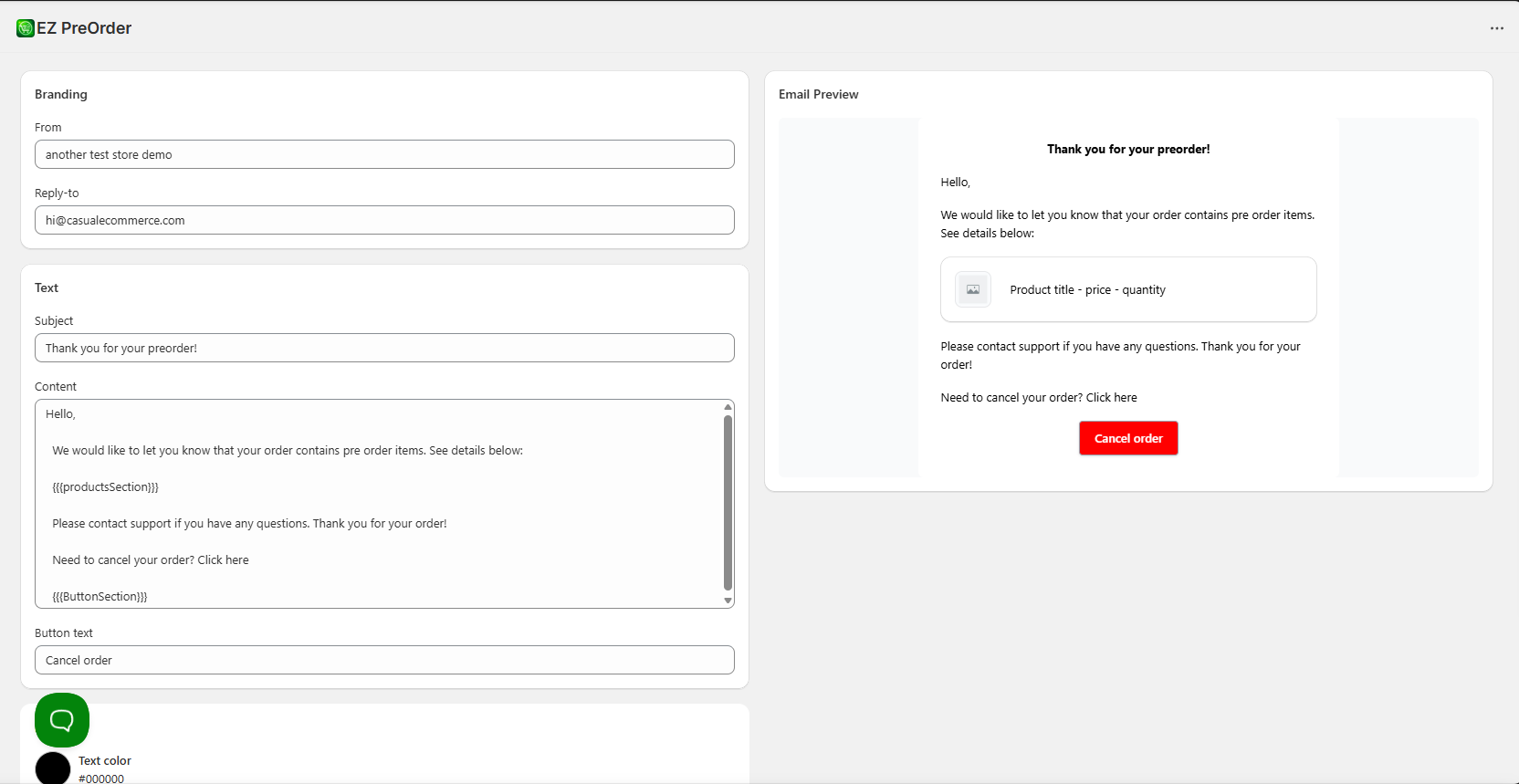
How to send preorder confirmations to customers
EZ Preorder allows you to send order confirmations to your customers that purchase preorder products. These confirmations help to clarify that their order contains preorder items, since Shopify's base order confirmation email does not specify this.
You can toggle on these confirmation emails in one click by opening the app and going to Configuration > Notification settings > Order Confirmation Email > Toggle on.
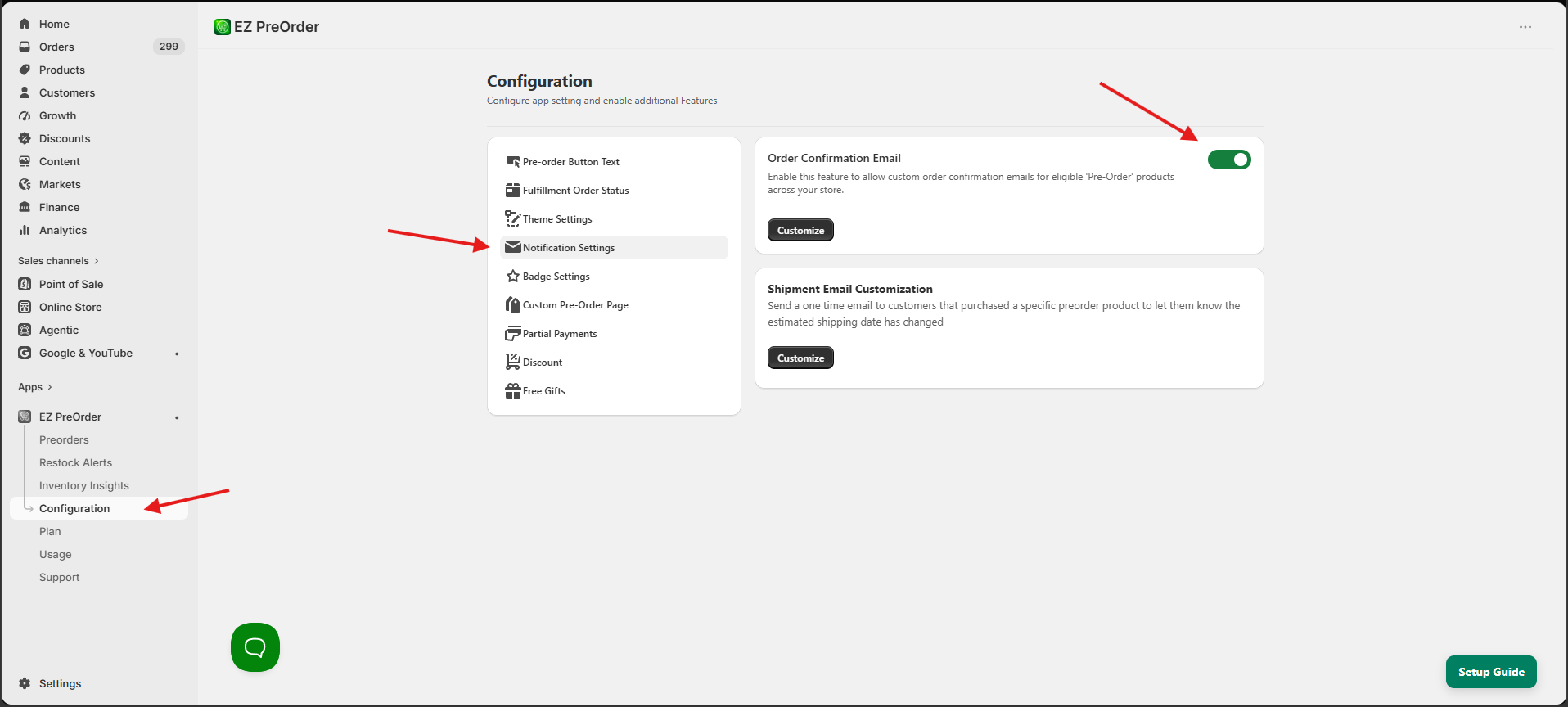
You can also customize the order confirmation email template by clicking customize and save.