How to send shipment update emails to preorder customers
If the estimated shipping date for a preorder product has changed since customers have purchased it, EZ Preorder lets you update your customers in bulk by sending a one time Shipment Update email.
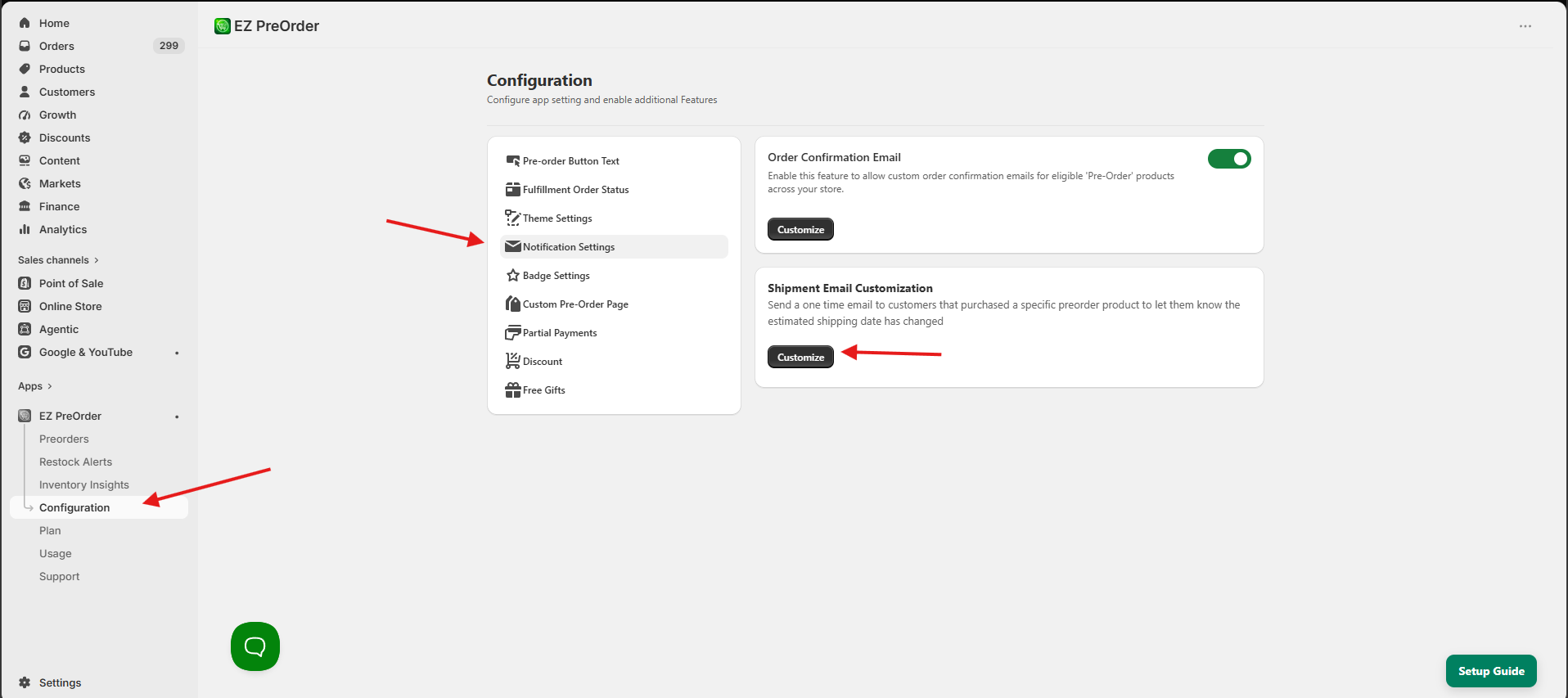
You can find this option by going to Configuration > Notification settings > Shipment Update > Clicking Customize & Send.
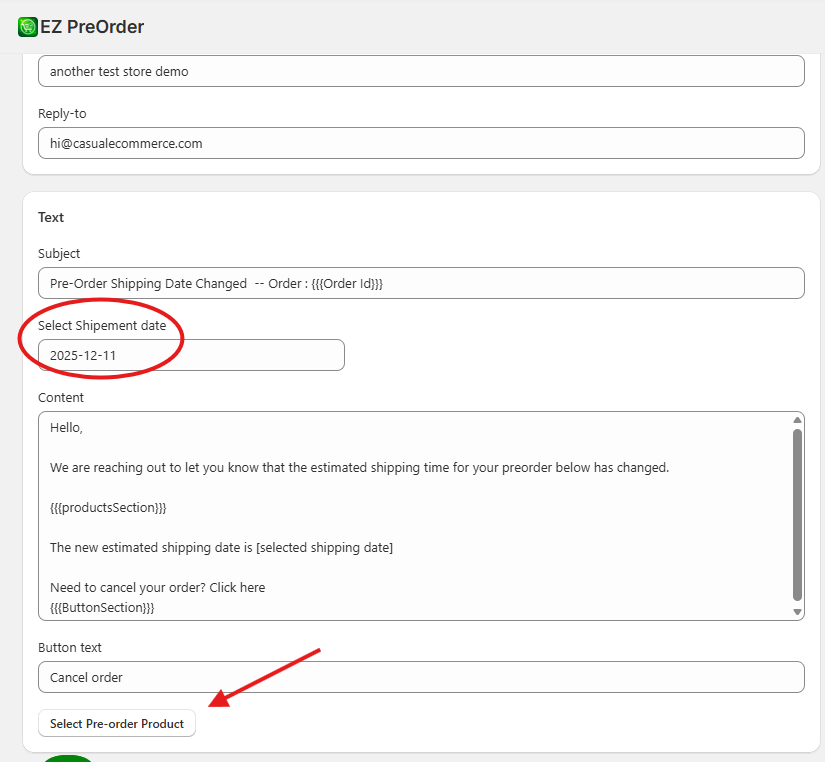
Here you can edit the content of the shipment update email. As well as specify the new estimated shipment date, which will be displayed in the email. You can select your preorder product, and that will automatically have this email sent to anyone that has purchased this preorder product.