How to remove an item from preorder
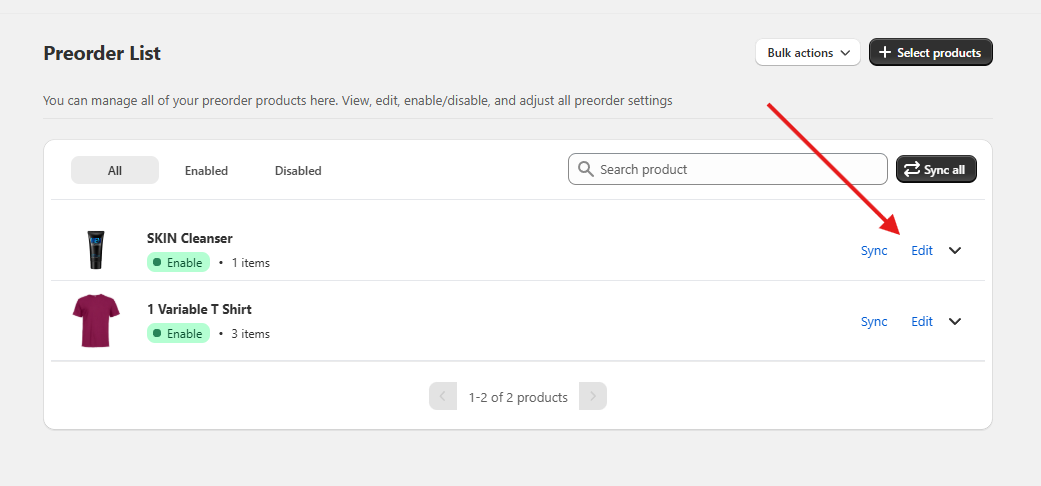
Once you're ready to take your item off of preorder, you can do this in one of two ways. First go to the preorder list page in the app.
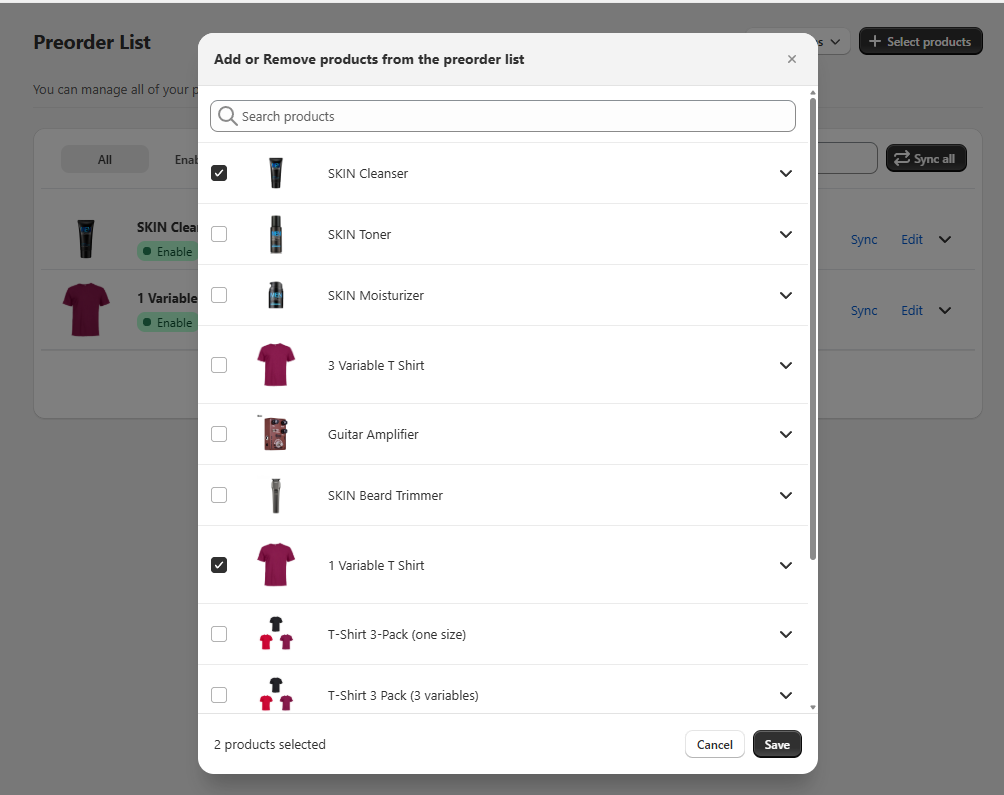
Then you can click Select products, and deselect the product you want to remove from the list, then click save. This will update the preorder list and remove any products that you deselected.
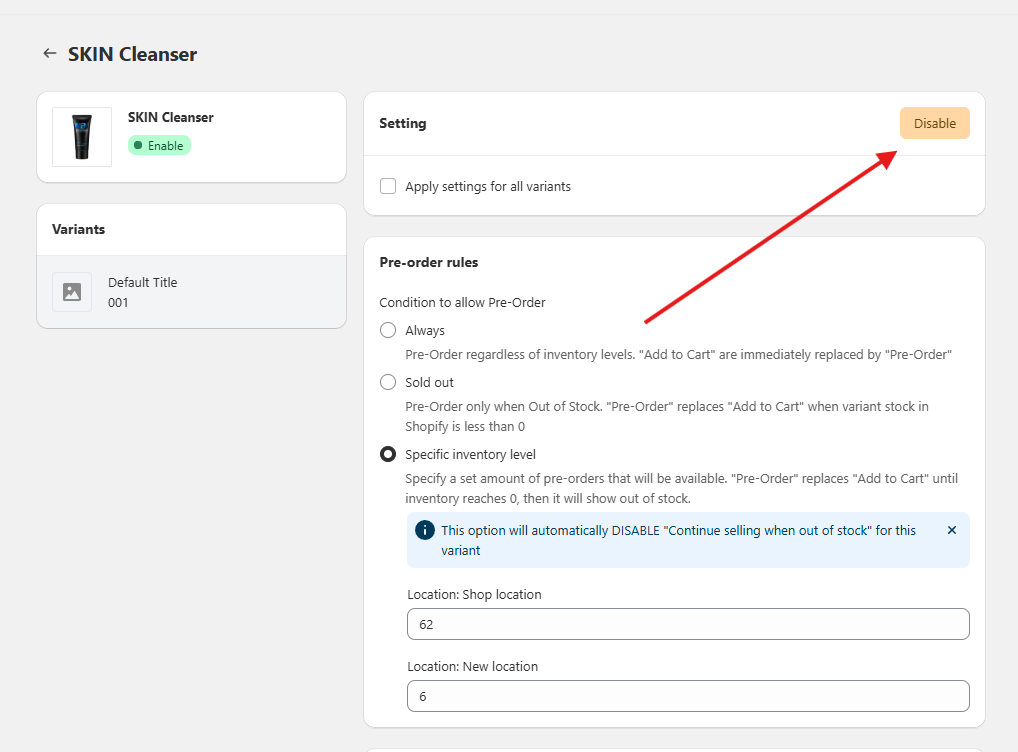
Alternatively, if you think you will want to take preorders on this product again, you can keep it on your preorder list, but instead just disable it. You can do this by clicking "Edit" on the product on the preorder list, and then toggling Disable.