How to setup preorder badges on collection pages
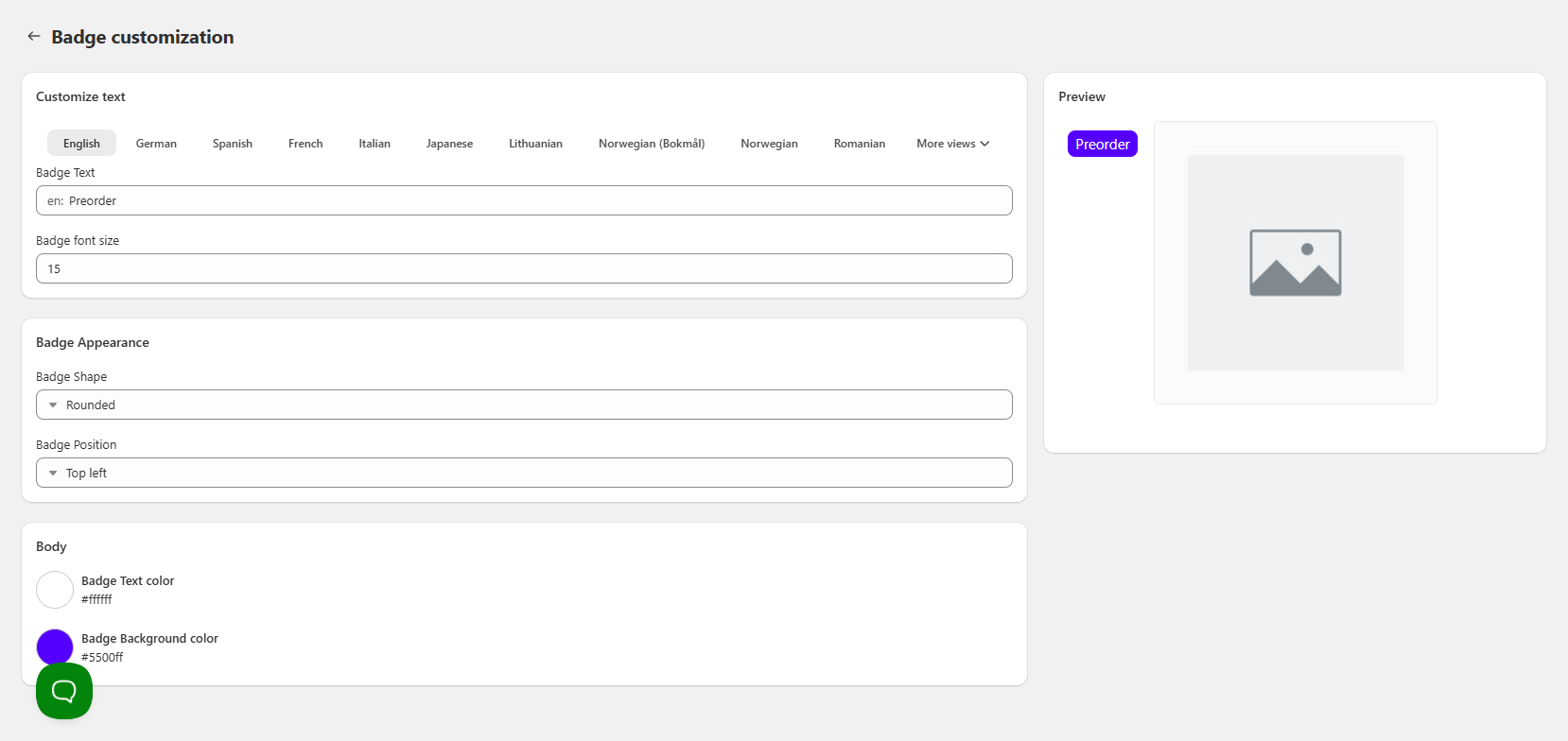
EZ Preorder offers the option to display badges on your preorder products in your collection pages. These badges are customizable in terms of color & text.
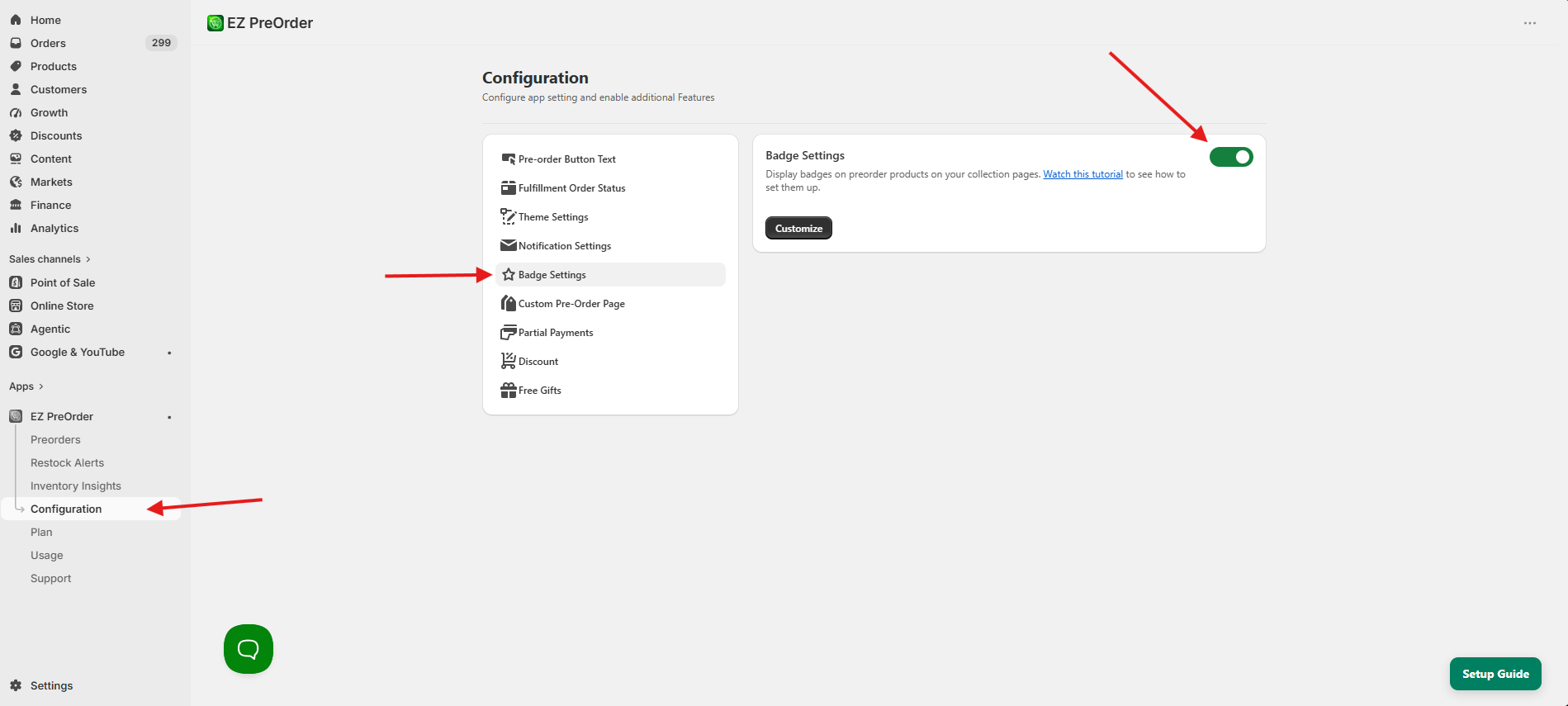
To enable this feature, go to Configuration > Badge Settings > Toggle it on.
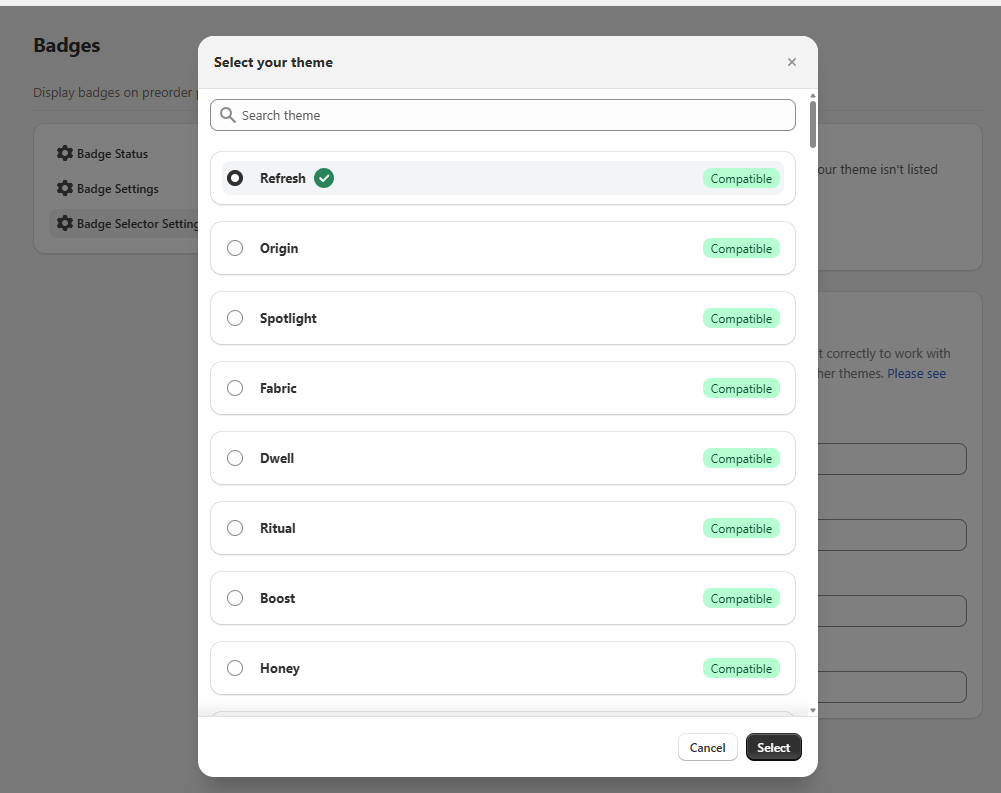
For most themes, unless you are using a default theme like Dawn, you will have to change the Badge selector setting. You can do this by going to Configuration > Theme Settings > Select Theme. From here, you can search for your theme. Some themes are incompatible with the badge feature, those themes are shown here. If you do not see your theme listed here, then that means we haven't tested with it yet. Reach out to our support and we'll check to see if the feature is compatible with your theme.
Lastly after you have the selectors right, the badges will be displayed in your store on collection pages on eligible preorder products. The last step is you can go to Configuration > Badge Settings > Customize to customize the look of your badges.