
How to setup the Custom Preorder Page
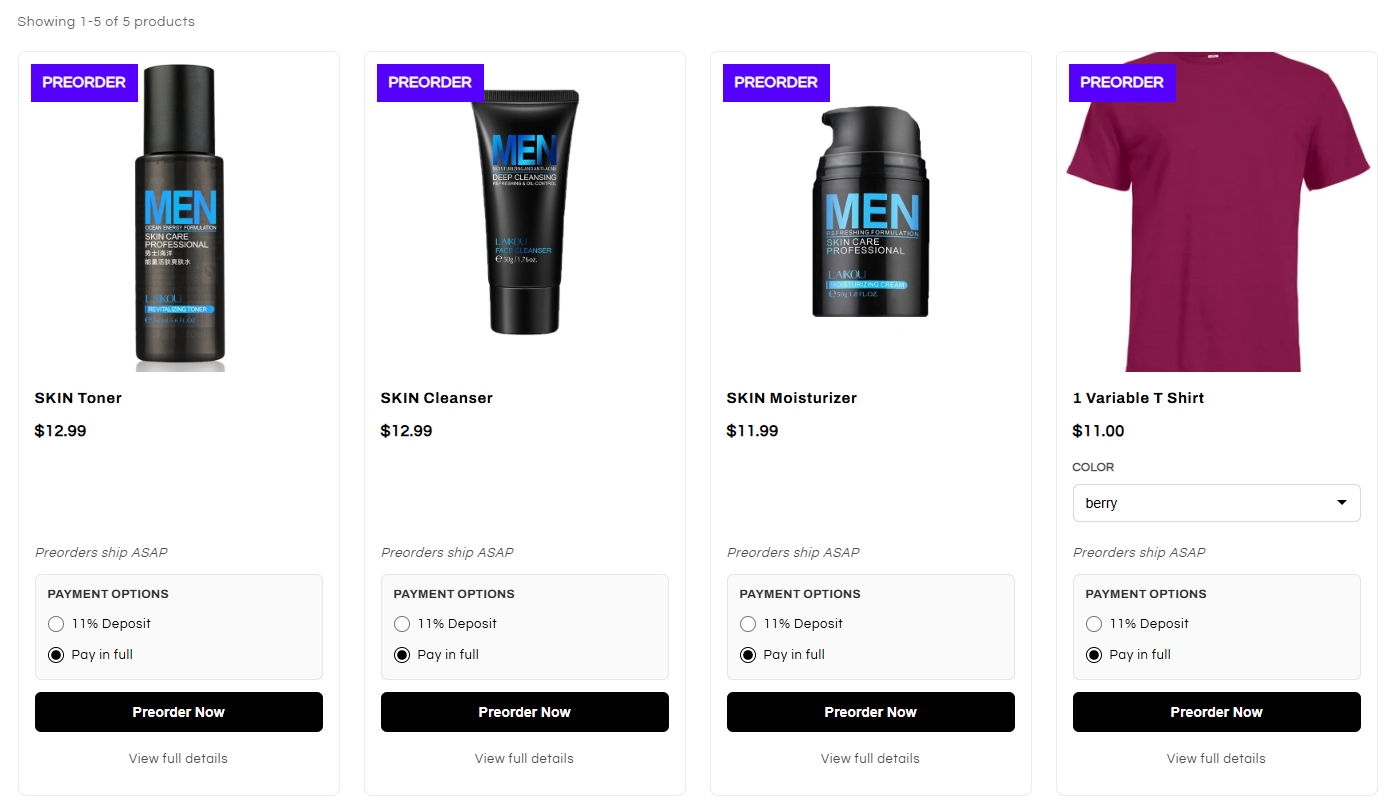
The custom preorder page allows you to add a page in your store that will display all of your current active preorder products in a collection style grid. Here's what it looks like:
Functionality
The page will display all of your current active preorder variants. Variants not on preorder will not be displayed here. If you have partial payments enabled, they will be displayed here. If you have badges enabled, they will be added to the collection photos here as well. Your preorder button text set in the app will applyto the preorder buttons here. Products can be added to cart directly from this page.
Enabling the page
You can enable the custom preorder page by going to Configuration > Custom Pre-Order Page > Toggle on in the app. After enabling it, you will see the link for the page automatically created. You can add this link to your navigation, so users can access the page directly from your store menu.
if you are using a theme that is incompatible with our Badges feature, this is a good alternative.
This feature is available on the Growth plan and up.
If you are having any trouble, please contact our support.