
How to track signups and performance with restock alerts
Once your restock alerts are setup, you will probably want to be able to track signups, product performance, etc.
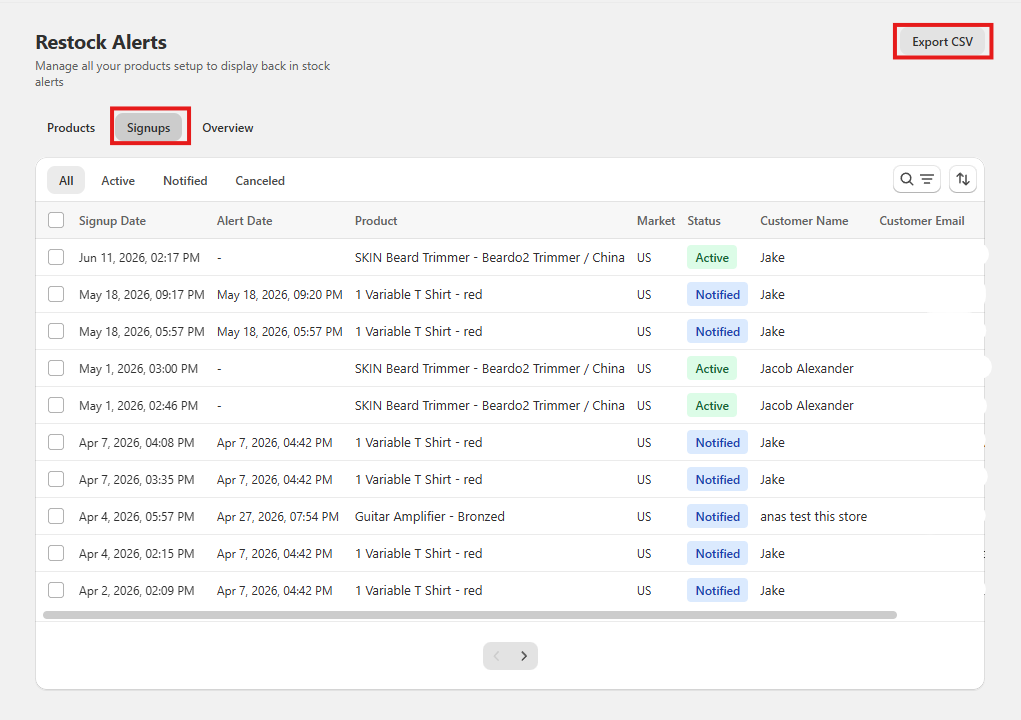
To see all of your signups, you can go to Restock Alerts > Signups. From here, you will see all of your current and past signups for all of your products. You can do multiple things from this screen such as..
- Export all of your signups by clicking export csv in the top right
- Sort signups by active & notified customers
- See when customers signed up, and when the alert was sent
- Search by name or email
- Filter signups by specific products
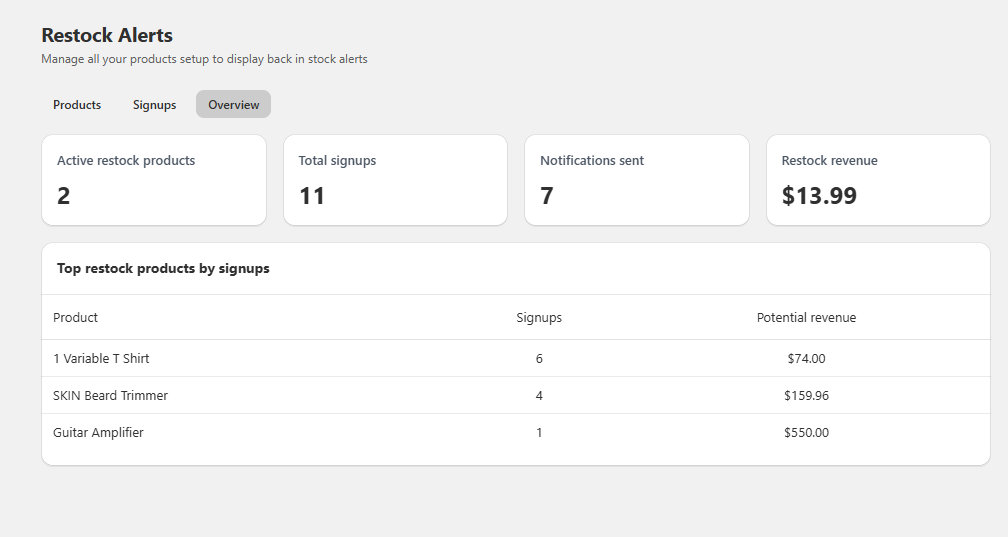
To see additional metrics, you can go to the Overview tab. Here you can see metrics such as
- How many products currently have restock alerts enabled on them
- How many signups you have received
- How many alerts have been sent
- How much revenue has been generated from restock alerts
- Your top performing products by # of signups
If you have any questions or request for further metrics, please contact our support.